Langfuse SDKs
Langfuse offers two SDKs for Python and JS/TS. The Langfuse SDKs are the recommended way to create custom observations and traces and use the Langfuse prompt-management and evaluation features. Both SDKs are OpenTelemetry-based, async by default, and interoperate with Langfuse native integrations.
Requirements for self-hosted Langfuse
If you are self-hosting Langfuse, the Python SDK v3 requires Langfuse platform version >= 3.63.0 for traces to be correctly processed.
Legacy documentation
This documentation is for the Python SDK v3. Documentation for the legacy Python SDK v2 can be found here.
Key benefits
- Based on OpenTelemetry, so you can use any OTEL-based instrumentation library for your LLM stack.
- Fully async requests, meaning Langfuse adds almost no latency.
- Accurate latency tracking via synchronous timestamps.
- IDs available for downstream use.
- Great DX when nesting observations.
- Cannot break your application: SDK errors are caught and logged.
- Interoperable with Langfuse native integrations.
Quickstart
Follow the quickstart guide to get the first trace into Langfuse. See the setup section for more details.
1. Install package:
pip install langfuse2. Add credentials:
LANGFUSE_SECRET_KEY = "sk-lf-..."
LANGFUSE_PUBLIC_KEY = "pk-lf-..."
LANGFUSE_BASE_URL = "https://cloud.langfuse.com" # 🇪🇺 EU region
# LANGFUSE_BASE_URL = "https://us.cloud.langfuse.com" # 🇺🇸 US region
3. Instrument your application:
Instrumentation means adding code that records what’s happening in your application so it can be sent to Langfuse. There are three main ways of instrumenting your code with the Python SDK.
In this example we will use the context manager. You can also use the decorator or create manual observations.
from langfuse import get_client

langfuse = get_client()

# Create a span using a context manager
with langfuse.start_as_current_observation(as_type="span", name="process-request") as span:
    # Your processing logic here
    span.update(output="Processing complete")

    # Create a nested generation for an LLM call
    with langfuse.start_as_current_observation(as_type="generation", name="llm-response", model="gpt-3.5-turbo") as generation:
        # Your LLM call logic here
        generation.update(output="Generated response")

# All spans are automatically closed when exiting their context blocks


# Flush events in short-lived applications
langfuse.flush()
When should I call langfuse.flush()?
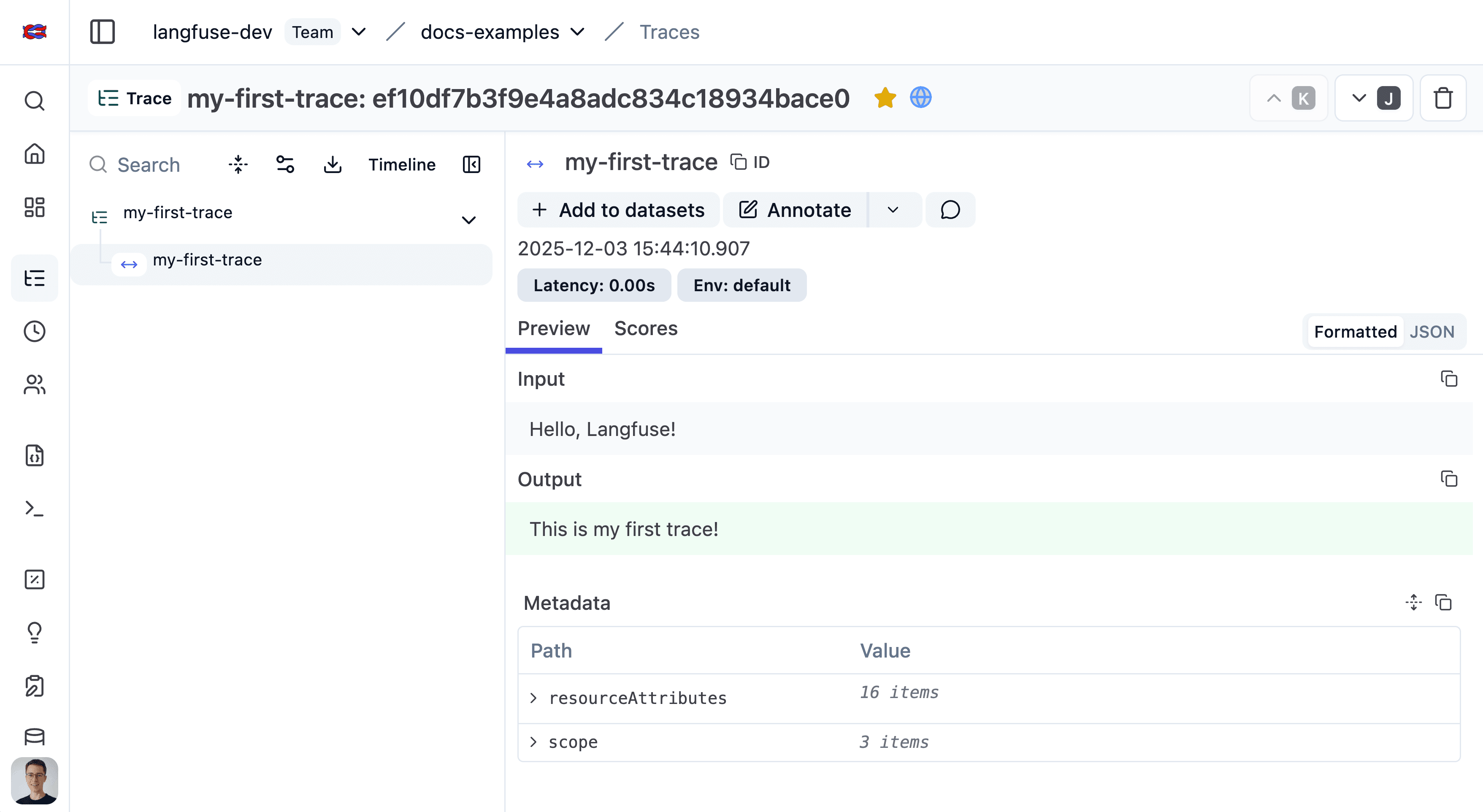
4. Run your application and see the trace in Langfuse:
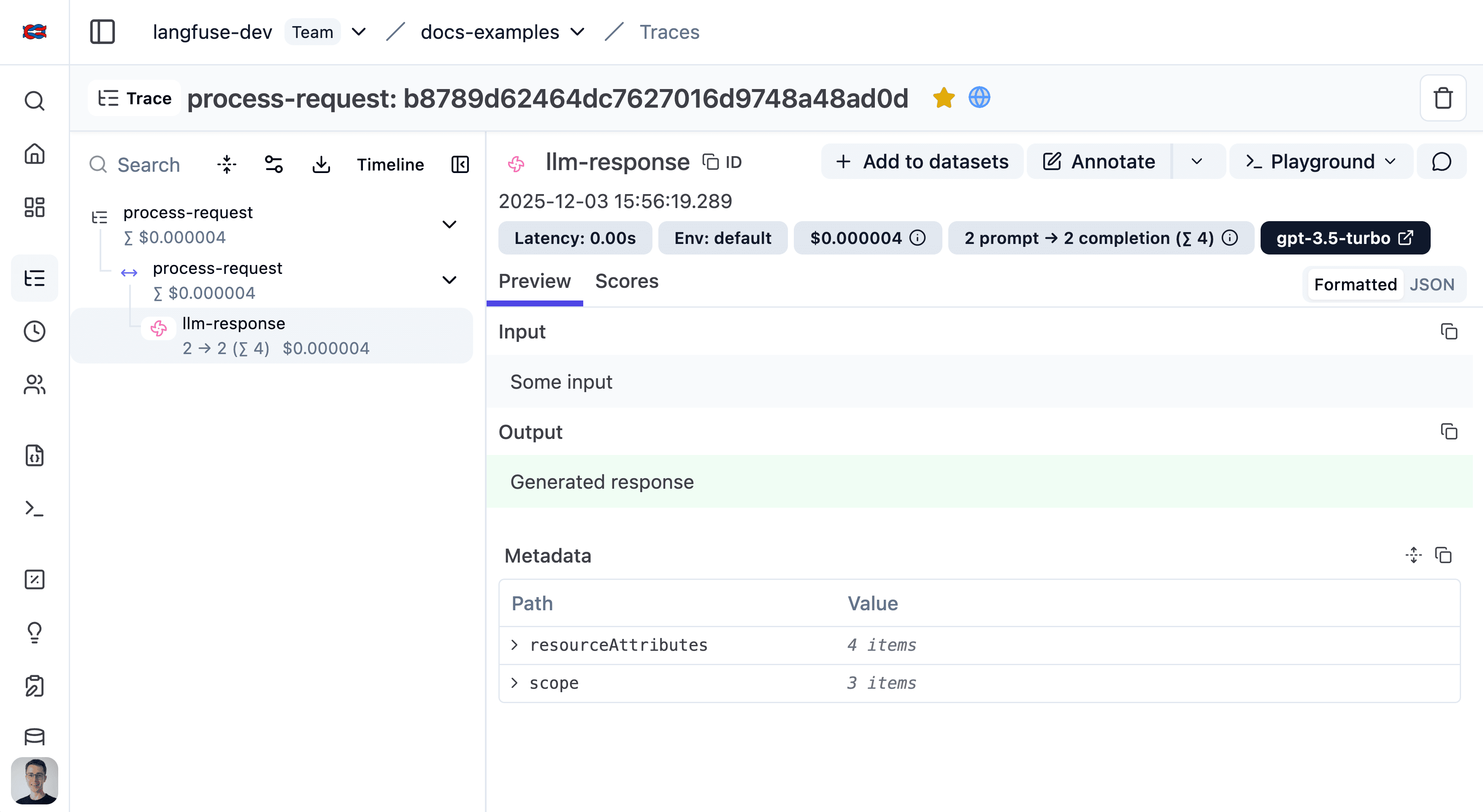
Public link to the trace in Langfuse.
Setup
Install the SDK
Pip install the Langfuse Python SDK.
pip install langfuseConfigure credentials
Add your Langfuse credentials to your environment variables. You can get your credentials by signing up for a free Langfuse Cloud account or by self-hosting Langfuse.
If you are self-hosting Langfuse or using a data region other than the default (EU, https://cloud.langfuse.com), ensure you configure the host argument or the LANGFUSE_BASE_URL environment variable (recommended).
Make sure that you have a .env file in your project root and a package like dotenv to load the variables.
LANGFUSE_SECRET_KEY = "sk-lf-..."
LANGFUSE_PUBLIC_KEY = "pk-lf-..."
LANGFUSE_BASE_URL = "https://cloud.langfuse.com" # 🇪🇺 EU region
# LANGFUSE_BASE_URL = "https://us.cloud.langfuse.com" # 🇺🇸 US regionIf you create multiple Langfuse instances with the same public_key, the singleton instance is reused and new arguments are ignored.
Initialize OpenTelemetry (JS/TS)
The Langfuse TypeScript SDK’s tracing is built on top of OpenTelemetry, so you need to set up the OpenTelemetry SDK. The LangfuseSpanProcessor is the key component that sends traces to Langfuse.
import { NodeSDK } from "@opentelemetry/sdk-node";
import { LangfuseSpanProcessor } from "@langfuse/otel";

const sdk = new NodeSDK({
  spanProcessors: [new LangfuseSpanProcessor()],
});

sdk.start();The LangfuseSpanProcessor is the key component that sends traces to Langfuse.
For more options to configure the LangfuseSpanProcessor such as masking, filtering, and more, see the advanced usage.
You can learn more about setting up OpenTelemetry in your JS environment here.
Next.js users:
If you are using Next.js, please use the OpenTelemetry setup via the NodeSDK described above rather than via registerOTel from @vercel/otel. This is because the @vercel/otel package does not yet support the OpenTelemetry JS SDK v2 on which the @langfuse/tracing and @langfuse/otel packages are based.
See here for a full example for the Vercel AI SDK with NextJS on Vercel.
Client Setup
from langfuse import get_client

langfuse = get_client()

# Verify connection
if langfuse.auth_check():
    print("Langfuse client is authenticated and ready!")
else:
    print("Authentication failed. Please check your credentials and host.")
Key configuration options
All key configuration options are listed in the Python SDK reference.
| Constructor Argument | Environment Variable | Description | Default value |
|---|---|---|---|
public_key | LANGFUSE_PUBLIC_KEY | Your Langfuse project’s public API key. Required. | |
secret_key | LANGFUSE_SECRET_KEY | Your Langfuse project’s secret API key. Required. | |
base_url | LANGFUSE_BASE_URL | API host for your Langfuse instance. | "https://cloud.langfuse.com" |
timeout | LANGFUSE_TIMEOUT | Timeout in seconds for API requests. | 5 |
httpx_client | - | Custom httpx.Client for non-tracing HTTP requests. | |
debug | LANGFUSE_DEBUG | Enables verbose logging. | False |
tracing_enabled | LANGFUSE_TRACING_ENABLED | Toggles Langfuse instrumentation; if False, tracing calls become no-ops. | True |
flush_at | LANGFUSE_FLUSH_AT | Number of spans to batch before sending. | 512 |
flush_interval | LANGFUSE_FLUSH_INTERVAL | Seconds between batch flushes. | 5 |
environment | LANGFUSE_TRACING_ENVIRONMENT | Environment name (lowercase alphanumeric, hyphen/underscore). | "default" |
release | LANGFUSE_RELEASE | Release identifier for grouping analytics. | |
media_upload_thread_count | LANGFUSE_MEDIA_UPLOAD_THREAD_COUNT | Background threads for media uploads. | 1 |
sample_rate | LANGFUSE_SAMPLE_RATE | Sampling rate between 0.0 and 1.0. | 1.0 |
mask | - | Mask sensitive data before export. | |
LANGFUSE_MEDIA_UPLOAD_ENABLED | Whether to upload media files to Langfuse storage (useful to disable when self-hosting). | True |
Access the client globally (Python)
The Langfuse client is a singleton. It can be accessed anywhere in your application using the get_client function.
Optionally, you can initialize the client via Langfuse() to pass in configuration options (see above). Otherwise, it is created automatically when you call get_client() based on environment variables.
from langfuse import get_client

# Optionally, initialize the client with configuration options
# langfuse = Langfuse(public_key="pk-lf-...", secret_key="sk-lf-...")

# Get the default client
client = get_client()
OpenTelemetry foundation
Building on OpenTelemetry provides:
- Standardization with the wider observability ecosystem and tooling.
- Robust context propagation so nested spans stay connected, even across async workloads.
- Attribute propagation to keep
userId,sessionId,metadata,version, andtagsaligned across observations. - Ecosystem interoperability meaning third-party instrumentations automatically appear inside Langfuse traces.
The following diagram shows how Langfuse maps to native OpenTelemetry concepts:
- OTel Trace: An OTel-trace represents the entire lifecycle of a request or transaction as it moves through your application and its services. A trace is typically a sequence of operations, like an LLM generating a response followed by a parsing step. The root (first) span created in a sequence defines the OTel trace. OTel traces do not have a start and end time, they are defined by the root span.
- OTel Span: A span represents a single unit of work or operation within a trace. Spans have a start and end time, a name, and can have attributes (key-value pairs of metadata). Spans can be nested to create a hierarchy, showing parent-child relationships between operations.
- Langfuse Trace: A Langfuse trace collects observations and holds trace attributes such as
session_id,user_idas well as overall input and outputs. It shares the same ID as the OTel trace and its attributes are set via specific OTel span attributes that are automatically propagated to the Langfuse trace. - Langfuse Observation: In Langfuse terminology, an “observation” is a Langfuse-specific representation of an OTel span. It can be a generic span (Langfuse-span), a specialized “generation” (Langfuse-generation), a point-in-time event (Langfuse-event), or other observation types.
- Langfuse Span: A Langfuse-span is a generic OTel span in Langfuse, designed for non-LLM operations.
- Langfuse Generation: A Langfuse-generation is a specialized type of OTel span in Langfuse, designed specifically for Large Language Model (LLM) calls. It includes additional fields like
model,model_parameters,usage_details(tokens), andcost_details. - Langfuse Event: A Langfuse-event tracks a point in time action.
- Context Propagation: OpenTelemetry automatically handles the propagation of the current trace and span context. This means when you call another function (whether it’s also traced by Langfuse, an OTel-instrumented library, or a manually created span), the new span will automatically become a child of the currently active span, forming a correct trace hierarchy.
- Attribute Propagation: Certain trace attributes (
user_id,session_id,metadata,version,tags) can be automatically propagated to all child observations usingpropagate_attributes(). This ensures consistent attribute coverage across all observations in a trace. See the instrumentation docs for details.
The Langfuse SDKs provides wrappers around OTel spans (LangfuseSpan, LangfuseGeneration) that offer convenient methods for interacting with Langfuse-specific features like scoring and media handling, while still being native OTel spans under the hood. You can also use these wrapper objects to add Langfuse trace attributes via update_trace() or use propagate_attributes() for automatic propagation to all child observations.
Learn more
Other languages
Via the public API you can integrate Langfuse from any runtime. For tracing specifically, send OpenTelemetry spans from your preferred instrumentation (Java, Go, etc.) to the Langfuse OTel endpoint.